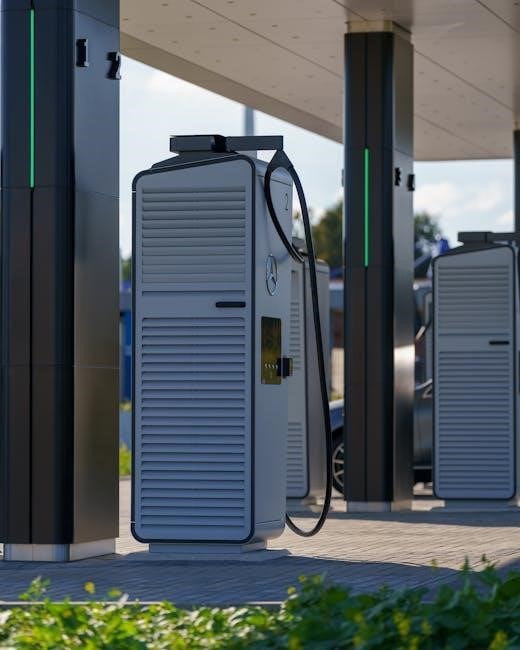
BG Sync EV Charger Manual: A Comprehensive Guide
This manual provides detailed instructions for installing, setting up, and troubleshooting your BG Sync EV charger, ensuring a seamless and efficient charging experience.
BG Sync offers a smart and convenient solution for electric vehicle (EV) charging, designed to integrate seamlessly with your lifestyle. This system isn’t just about powering your vehicle; it’s about intelligent energy management and control, all accessible through the ev.energy app. The charger itself is engineered for reliability and safety, featuring robust protection mechanisms like Type A RCD and SPD surge protection, crucial for a secure installation.
With BG Sync, you gain the ability to schedule charging sessions, potentially taking advantage of off-peak electricity rates to save money. The system’s connectivity allows for over-the-air updates, ensuring your charger remains optimized and compatible with evolving EV technology. This introduction sets the stage for understanding the full potential of your BG Sync EV charging experience.
Understanding the BG Sync Charger Features
The BG Sync EV charger boasts a range of features designed for user convenience and efficient charging. Key among these is its compatibility with the ev.energy app, enabling remote control and monitoring of charging sessions. The charger supports scheduled charging, allowing users to optimize energy consumption based on time-of-use tariffs.
Safety is paramount, with integrated Type A RCD protection and SPD surge protection safeguarding against electrical faults. The charger also provides clear LED status indicators, communicating its operational state at a glance. Furthermore, over-the-air updates ensure the charger remains current with the latest features and security enhancements. These features combine to deliver a smart, safe, and user-friendly EV charging solution.
Safety Precautions Before Installation
Prior to installing your BG Sync EV charger, crucial safety precautions must be observed. Always disconnect the main power supply before commencing any electrical work. Installation should only be performed by a qualified and certified electrician, adhering to all local and national electrical codes.
Ensure the designated installation area is dry and free from flammable materials. Verify the electrical circuit is appropriately rated for the charger’s power requirements – typically a dedicated 40 amp circuit with Type A RCD protection. Inspect all wiring and components for damage before use. Failure to follow these precautions could result in electric shock, fire, or damage to the charger and vehicle.
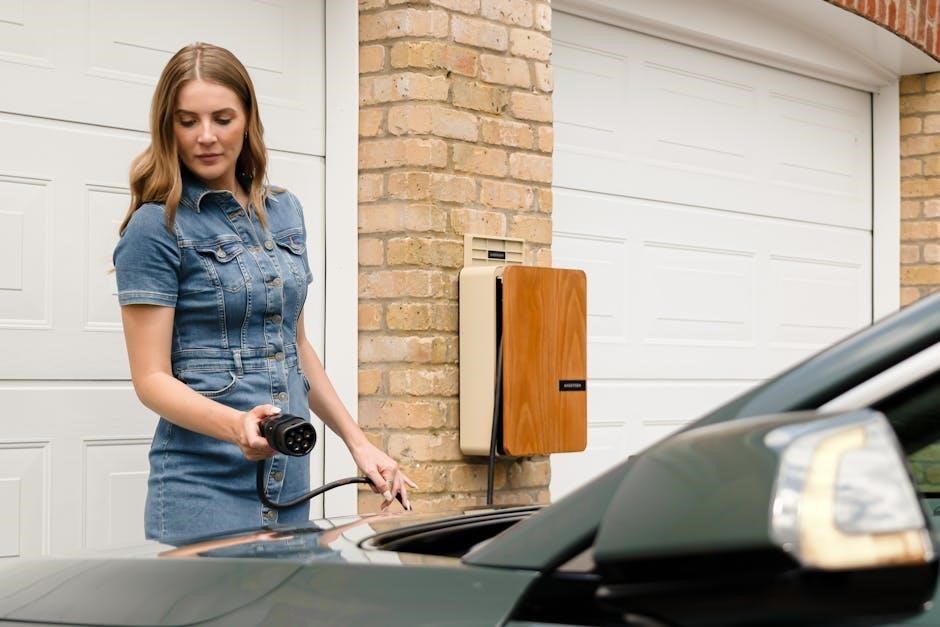
Installation Process
Proper installation is vital for safe and efficient operation; this section details the steps, from gathering necessary tools to securely connecting the charger to your mains supply.
Required Tools and Materials
Before beginning the installation, ensure you have all the necessary tools and materials readily available to streamline the process and guarantee a secure setup. You will need a qualified electrician for this process. Essential tools include a screwdriver set (various sizes and types), wire strippers, a voltage tester, a drill with appropriate drill bits for your wall type, and a level to ensure the charger is mounted correctly.
Regarding materials, you’ll require the BG Sync EV charger itself, a suitable mounting bracket (often included), appropriate gauge wiring rated for the charger’s amperage (typically 6mm² or 10mm² – consult a professional), cable glands to seal the wiring entry point, and suitable fixings for your wall type. Don’t forget a 40 amp circuit breaker, a Type A RCD, and an SPD (Surge Protection Device) for comprehensive safety.
Circuit Breaker and RCD Protection (Type A)
Crucially, the BG Sync EV charger requires dedicated circuit protection for safe and reliable operation. A dedicated 40 amp circuit breaker is essential, preventing overload and potential hazards. Equally important is the installation of a Type A RCD (Residual Current Device) providing protection against electric shock. Type A RCDs are specifically designed to detect AC and pulsating DC fault currents, common with EV chargers, unlike standard RCDs.
Ensure the RCD is double-pole, meaning it protects both the live and neutral conductors. This provides a higher level of safety. The circuit breaker and RCD should be located in an accessible location for easy resetting if needed. Proper installation by a qualified electrician is paramount to guarantee correct functionality and adherence to electrical safety regulations. Incorrect wiring can compromise safety and damage the charger.
SPD (Surge Protection Device) Installation
Protecting your BG Sync EV charger from power surges is vital for longevity and preventing damage. Installing an SPD (Surge Protection Device) safeguards the charger and your electrical system from transient voltage spikes caused by lightning or grid fluctuations. The SPD should be installed on the supply side of the circuit breaker, as close to the charger as possible, to effectively divert surges to ground.
Choose an SPD rated appropriately for your electrical system and the charger’s specifications. A qualified electrician must perform the installation, ensuring correct wiring and grounding. Regular inspection of the SPD is recommended to verify its continued functionality. Ignoring surge protection can lead to costly repairs or charger replacement, making this a crucial safety measure for your investment.
Connecting the Charger to the Mains Supply
Before connecting the BG Sync EV charger to the mains supply, double-check that the circuit breaker is switched OFF. Carefully strip the cable ends, ensuring they match the charger’s terminal block specifications. Connect the live, neutral, and earth wires to their designated terminals, tightening the screws securely to prevent loose connections. Incorrect wiring can cause serious damage or pose a safety hazard.
Verify the wiring configuration aligns with local electrical codes and regulations. Once connected, visually inspect all connections for tightness and proper insulation. Only after confirming correct wiring can you cautiously switch ON the circuit breaker. A qualified electrician should always perform and verify this critical step to guarantee a safe and reliable connection to the mains supply.
Initial Setup and Configuration
Begin by downloading the ev.energy app and creating an account, then pair your BG Sync charger for seamless control and scheduling of your electric vehicle’s charging.
Downloading and Installing the ev.energy App
To begin the setup process, you’ll need to download and install the ev.energy app on your smartphone or tablet. The app is available for both iOS and Android devices. You can find it by searching for “ev.energy” in the Apple App Store or Google Play Store;
Once you’ve located the app, tap the “Install” button and wait for the download to complete. After the installation is finished, tap “Open” to launch the app. Ensure your device has a stable internet connection – either Wi-Fi or mobile data – during the download and initial setup. The app requires access to certain permissions, such as location services, to function correctly. Grant these permissions when prompted to ensure optimal performance and accurate charger pairing.
The ev.energy app serves as the central hub for controlling and monitoring your BG Sync EV charger, allowing you to schedule charging sessions, track energy usage, and access support resources.
Creating an ev.energy Account
After launching the ev.energy app, you’ll be prompted to create a new account. Tap the “Sign Up” or “Create Account” button to begin the registration process. You’ll need to provide a valid email address and create a secure password. Ensure your password meets the app’s complexity requirements, typically including a mix of uppercase and lowercase letters, numbers, and symbols.
You may also be asked to provide your name and other optional information. Carefully review the app’s Terms of Service and Privacy Policy before proceeding, and check the box to indicate your agreement. A verification email will be sent to the address you provided. Open the email and click the verification link to activate your account.
If you’ve created the account with the same email and are still running into problems, there may be a hardware or installation issue.
Pairing the Charger with the App
Once your ev.energy account is active, navigate to the “Add Charger” or “Devices” section within the app. The app will guide you through the pairing process, which typically involves scanning a QR code located on the BG Sync EV charger itself, or manually entering the charger’s serial number. Ensure your smartphone’s Bluetooth is enabled, as this is often a key component of the pairing process.
The app will search for nearby chargers. Select your BG Sync charger from the list of available devices. You may be prompted to enter your Wi-Fi network credentials to connect the charger to your home network. A successful pairing will be indicated by a confirmation message within the app and a change in the charger’s LED status indicator.
If pairing fails, double-check the QR code or serial number and ensure a stable Wi-Fi connection.
Setting Up Charging Schedules
Within the ev.energy app, access the “Charging Schedules” or “Smart Charging” section. Here, you can create customized charging schedules tailored to your energy usage and preferences. You can set specific start and end times for charging, optimizing for off-peak electricity rates and minimizing your carbon footprint.
The app allows for multiple schedules, enabling you to define different charging profiles for weekdays, weekends, or even specific days of the week. You can also set charging limits, controlling the amount of energy delivered to your vehicle. Explore features like scheduled pre-conditioning, which warms or cools your car’s cabin before departure.
Remember to save your schedules and ensure they are activated within the app. Regularly review and adjust your schedules to maximize savings and convenience.
Troubleshooting Common Issues
This section details solutions for frequent problems, including charger malfunctions, cable connectivity, unexpected charging speeds, and how to reset the device if needed.
Charger Not Working: Basic Checks
If your BG Sync EV charger isn’t functioning, begin with simple checks. First, verify the charging cable is securely connected to both the charger and your vehicle. Ensure the vehicle is compatible and set to accept a charge.
Next, locate the dedicated circuit breaker connected to the charger’s cabling within your mains supply and confirm it’s switched ‘on’. A tripped breaker indicates an overload or fault; If it trips repeatedly, do not reset it and consult a qualified electrician.
Also, check the Type A double pole RCD protection is active. A faulty RCD can prevent the charger from operating. Finally, confirm the ev.energy app isn’t displaying any error messages or scheduled charging restrictions. These initial steps resolve many common issues quickly.
Cable Connection Problems
Experiencing issues with the charging cable? Begin by visually inspecting the cable for any physical damage – cuts, kinks, or exposed wires. Do not use a damaged cable; replace it immediately. Ensure the connector is fully inserted into both the vehicle’s charging port and the BG Sync charger socket.
A loose connection is a frequent cause of charging interruptions. Try disconnecting and reconnecting the cable at both ends, applying firm, even pressure. If the vehicle’s charging port appears dirty or corroded, gently clean it with a dry cloth.
Confirm the cable is compatible with your vehicle and the charger’s specifications. Using an incorrect cable can prevent charging or cause safety hazards. If problems persist, test with a different, known-good charging cable to isolate the issue.
Unexpected Charging Rates
Notice your BG Sync charger isn’t delivering the expected charging speed? Several factors can contribute to this. First, verify the charging rate setting within the ev.energy app matches your vehicle’s capabilities and your desired charging speed. Lower amperage settings will naturally result in slower charging.
Check your vehicle’s onboard charger limitations; some vehicles have maximum charging rate limits. Also, ambient temperature can affect charging speed – extreme temperatures may reduce the rate. Ensure no other high-demand appliances are simultaneously drawing significant power from the same circuit.
Inspect the circuit breaker to confirm it’s the correct amperage for your charger and that it hasn’t tripped. If the issue continues, consult the ev.energy app’s troubleshooting guide or contact BG Sync support.
Resetting the Charger (If Applicable)
If your BG Sync charger is unresponsive or exhibiting persistent issues, a reset might be necessary. However, reset procedures can vary depending on the specific charger model. Consult the detailed instructions within the ev.energy app or the official BG Sync documentation for your device.
Generally, a reset involves briefly interrupting the power supply to the charger via the dedicated circuit breaker. Switch the breaker off for approximately 30 seconds, then switch it back on. Allow the charger a few minutes to reboot and re-establish a connection with the ev.energy app.
If a simple power cycle doesn’t resolve the problem, further troubleshooting steps may be required. Contact BG Sync support for assistance, providing your charger’s model number and a description of the issue.
Advanced Troubleshooting
For complex issues like delayed charging mode problems, connectivity failures, or suspected hardware malfunctions, a systematic approach and expert assistance are crucial.
Delayed Charging Mode Issues
If your BG Sync charger appears stuck in delayed charging mode, preventing immediate charging, several factors could be at play. First, verify a stable internet connection, as the ev.energy app relies on this for scheduling. A lost connection can leave the charger awaiting instructions.
Check the app to confirm the schedule isn’t unintentionally set for a future time. Sometimes, a simple rescheduling resolves the issue. If the problem persists, attempt a manual override through the app, if available.
In cases where the charger remains unresponsive, a reset might be necessary (refer to the ‘Resetting the Charger’ section). If these steps fail, it suggests a potential software glitch or a hardware problem requiring support intervention. Ensure the circuit breaker is functioning correctly, as power interruptions can also cause scheduling errors.
Connectivity Problems with the App
Experiencing difficulty connecting your BG Sync charger to the ev.energy app? First, ensure your smartphone has a stable internet connection – try switching between Wi-Fi and mobile data. Verify the charger itself is within range of your Wi-Fi network and that the network credentials entered in the app are correct.
If the issue persists, try restarting both the charger and the app. Clearing the app’s cache can also resolve connectivity glitches. Double-check that you’re using the correct email address for your ev.energy account, as discrepancies can prevent pairing.
For continued problems, consult the ev.energy FAQs or contact BG Sync support. A firewall or router setting might be blocking communication; temporarily disabling these can help diagnose the issue. Remember, a stable connection is crucial for remote control and scheduling features.
Hardware or Installation Issues
If you’ve created the ev.energy account with the same email and are still encountering problems, a hardware or installation issue may be present. Begin by visually inspecting the charger for any physical damage to the unit or cabling. Ensure all connections at the charger, circuit breaker, and mains supply are secure and properly tightened.
A faulty circuit breaker or incorrect wiring can prevent the charger from functioning. If you’re comfortable and qualified, carefully check the circuit breaker is correctly rated and hasn’t tripped. Otherwise, do not attempt to investigate electrical components yourself.
Contact a qualified electrician to inspect the installation, verifying the wiring conforms to local regulations and the charger is correctly grounded. A professional assessment is crucial for safety and to identify any underlying hardware faults.
Checking the Circuit Breaker
Locate the dedicated circuit breaker supplying power to your BG Sync EV charger – it should be where your installer connected the charger’s cabling to your mains supply. Begin by visually inspecting the breaker; is it in the ‘on’ position? If not, attempt to switch it on. If it immediately trips again, do not continue to reset it.
Repeated tripping indicates a fault, potentially within the charger, the cabling, or the mains supply. Before calling for assistance, switch the breaker off. A tripped breaker cuts power, preventing potential damage or hazards.
Ensure the breaker is appropriately sized for the charger’s requirements (typically 32A or 40A, depending on installation). If unsure, consult a qualified electrician for verification and safe troubleshooting.
LED Status Indicators and Their Meanings
The BG Sync charger utilizes LED indicators to communicate its status, providing vital information about charging, connectivity, and potential issues.
Understanding Different LED Colors
The BG Sync EV charger employs a color-coded LED system to clearly indicate its operational state. A solid green LED generally signifies normal operation and a successful connection, meaning the charger is ready or currently charging your electric vehicle effectively. Conversely, a blinking green LED often indicates that the charger is attempting to connect to the network or is in standby mode, awaiting a charging schedule activation.
A solid red LED typically signals an error condition, requiring immediate attention. This could range from a fault within the charger itself to a problem with the connection to your vehicle or the mains power supply. A blinking red LED often points to a specific error code, which can be referenced in the troubleshooting section of this manual or through the ev.energy app for detailed diagnostics. Finally, a solid blue LED usually indicates that the charger is actively connected to the Wi-Fi network and communicating with the ev.energy platform.
Interpreting Blinking Patterns
The BG Sync EV charger utilizes distinct blinking patterns to convey more specific information than solid LED colors alone. A slowly blinking green LED often indicates the charger is attempting to establish a Wi-Fi connection, while a rapidly blinking green LED suggests a successful connection is being made. If you observe a slowly blinking red LED, it typically signifies a communication error with the ev.energy platform, potentially due to internet connectivity issues.
A rapidly blinking red LED usually points to a more serious hardware fault or a problem with the charging circuit itself, requiring professional attention. Furthermore, an alternating red and blue blinking pattern can indicate a firmware update in progress – avoid interrupting power during this phase. Refer to the ev.energy app or the support resources for a comprehensive list of blinking codes and their corresponding meanings to accurately diagnose any issues with your charger.
Solid LED Indicators – What They Signify
A solid green LED on your BG Sync EV charger generally confirms normal operation – the charger is connected to Wi-Fi, communicating with the ev.energy platform, and ready to charge. However, a solid blue LED indicates that charging is actively in progress, and the vehicle is receiving power. If a solid red LED is illuminated, it signifies a fault condition that requires immediate attention; this could range from a circuit breaker trip to a more complex hardware issue.
A solid amber LED often suggests the charger is in standby mode, awaiting a scheduled charging session or user initiation through the ev.energy app. It’s crucial to consult the app for details if you encounter a solid amber light. Remember, consistent solid colors usually represent stable states, while any change to blinking patterns or different colors indicates a potential problem needing investigation.
Support and Resources
For assistance, contact BG Sync support or explore the comprehensive ev.energy FAQs and troubleshooting guide for solutions to common issues and warranty details.
Contacting BG Sync Support
If you encounter persistent issues with your BG Sync EV charger that aren’t addressed in this manual or the ev.energy FAQs, reaching out to their dedicated support team is crucial. Direct support channels are designed to provide personalized assistance and resolve complex problems efficiently. While specific contact details may evolve, generally, you can find support options through the ev.energy app itself, often including in-app messaging or a direct link to their support portal.
Alternatively, check the official BG Sync website for the most up-to-date contact information, including email addresses and potentially a phone number for direct communication. Be prepared to provide your charger’s model number, serial number, and a detailed description of the issue you’re experiencing to expedite the support process. Providing screenshots or videos demonstrating the problem can also be incredibly helpful for the support team.
ev.energy FAQs and Troubleshooting Guide
The ev.energy platform offers a comprehensive online FAQs and troubleshooting guide, serving as a valuable first point of reference for resolving common issues with your BG Sync EV charger. This resource covers a wide range of topics, from initial setup and account creation to charging schedule configuration and error message interpretations. You’ll find solutions for connectivity problems, unexpected charging rates, and difficulties pairing the charger with the app.
The guide also provides detailed explanations of LED status indicators, helping you diagnose problems based on the charger’s visual cues. It’s regularly updated with new information and solutions based on user feedback, ensuring you have access to the latest troubleshooting advice. Access the guide directly through the ev.energy website or app for convenient, on-demand support.
Warranty Information
BG Sync EV chargers are covered by a comprehensive warranty, protecting against defects in materials and workmanship. The standard warranty period is typically [Insert Warranty Period ー e.g., 3 years] from the date of installation, though specific terms may vary based on regional regulations and purchase date. This warranty covers repair or replacement of the charger unit itself, but does not extend to installation costs, consequential damages, or issues arising from improper use or maintenance.
To make a warranty claim, you will need to provide proof of purchase and a detailed description of the issue. Contact BG Sync support directly through their website or customer service channels to initiate the process. Ensure the charger has been installed and operated in accordance with the guidelines outlined in this manual to maintain warranty validity.